
Identity graph simulator for Adobe Experience Platform
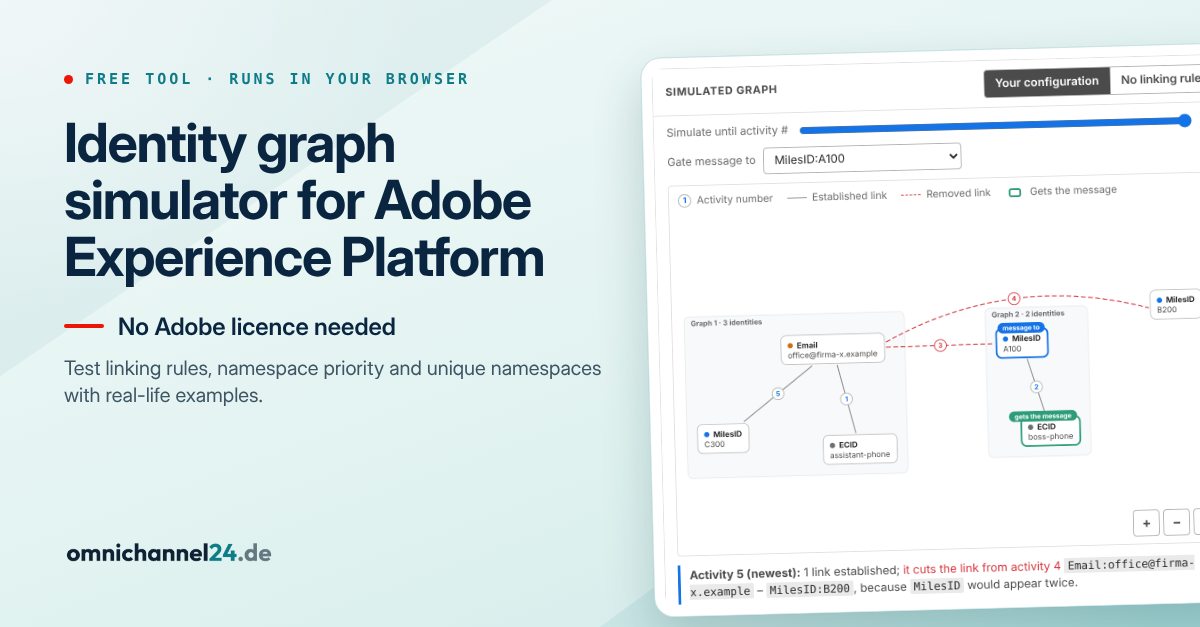
The identity graph simulator shows how Adobe Experience Platform links identities into identity graphs. You enter example activities, set the namespace priority and which namespaces are unique per graph, and see which links the identity optimization algorithm keeps and which it removes. It follows the logic of Graph Simulation in Adobe’s Identity Service UI and runs in your browser, without an Adobe licence.
I built it for people who want to learn and practise identity graph linking rules but have no access to an Adobe sandbox: consultants, marketing, CRM and data teams, students and anyone interested.

What you can use it for
- See when a shared device, a shared phone number or a reused identifier puts several people into one graph.
- Test namespace priorities and unique-per-graph settings, and compare the result with the same activities without linking rules.
- Replay the graph activity by activity and see which link is removed, and why.
- Check which devices a message such as “Your gate has changed” would reach.
- Switch a data source off to see the graph without that feed.
- Use the examples to explain graph collapse to colleagues and stakeholders.
It is a simplified recreation for learning, not Adobe software. What you enter stays in your browser. Before you change a real sandbox, test your setup in Graph Simulation in your own Identity Service workspace.
Activity
One line per activity, oldest first. Identities as namespace:value separated by commas, an optional source after a |.
Algorithm configuration
Namespaces are ordered by priority. Drag to reorder. Up to three can be unique per graph.
Simulated graph
Add activity
The identities that arrive together in one record, for example MilesID A100 and ECID boss-phone.
Simplified recreation for learning, built from Adobe’s public documentation (identity optimization algorithm, identity graph linking rules, Graph Simulation). It is not Adobe software and not endorsed by Adobe; results in Adobe Experience Platform can differ. The message view is simplified: in Adobe Experience Platform, push tokens sit on the profile; here each device ID stands for one app installation. What you enter stays in your browser. All examples are fictional.
Built from Adobe’s public documentation: Identity Optimization Algorithm, Implementation guide for identity graph linking rules, Guardrails for Identity Service, Graph Simulation. All examples are fictional. Adobe and Adobe Experience Platform are trademarks of Adobe Inc. This is an independent tool; no partnership with or endorsement by Adobe.